Secure sign-ins
Most attacks target users. Vahti detects unusual sign-ins, excessive admin privileges and unused accounts before they turn into real risks.
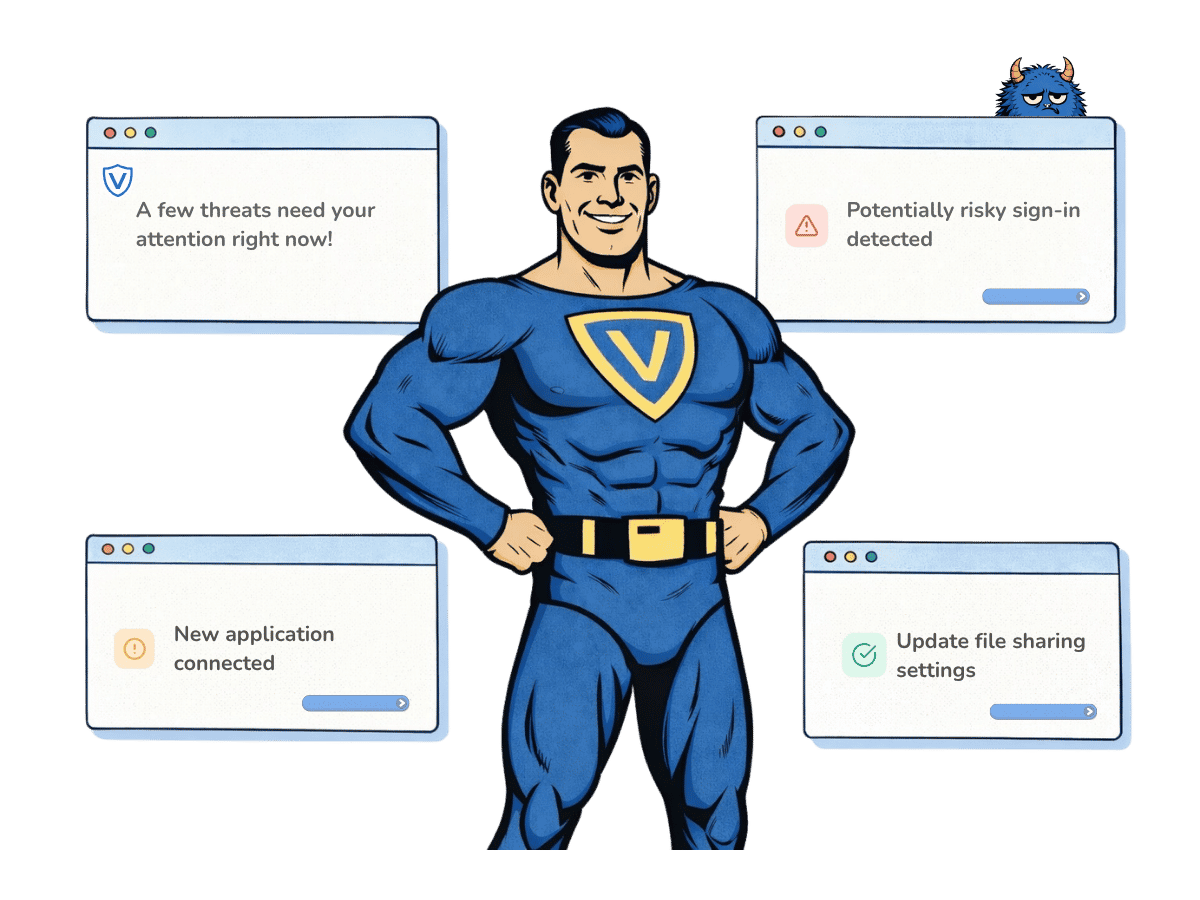
Most attacks target users. Vahti detects unusual sign-ins, excessive admin privileges and unused accounts before they turn into real risks.
Many breaches start with email. Vahti detects unusual email activity and suspicious signals, helping ensure issues don’t go unnoticed.
Your company’s most important data lives in Microsoft 365. Vahti shows what is shared externally, who has access to it and whether those access rights are justified.
Microsoft 365 accounts are often used across other services. Vahti shows where your credentials are used, which external applications are connected and which have been granted admin privileges.
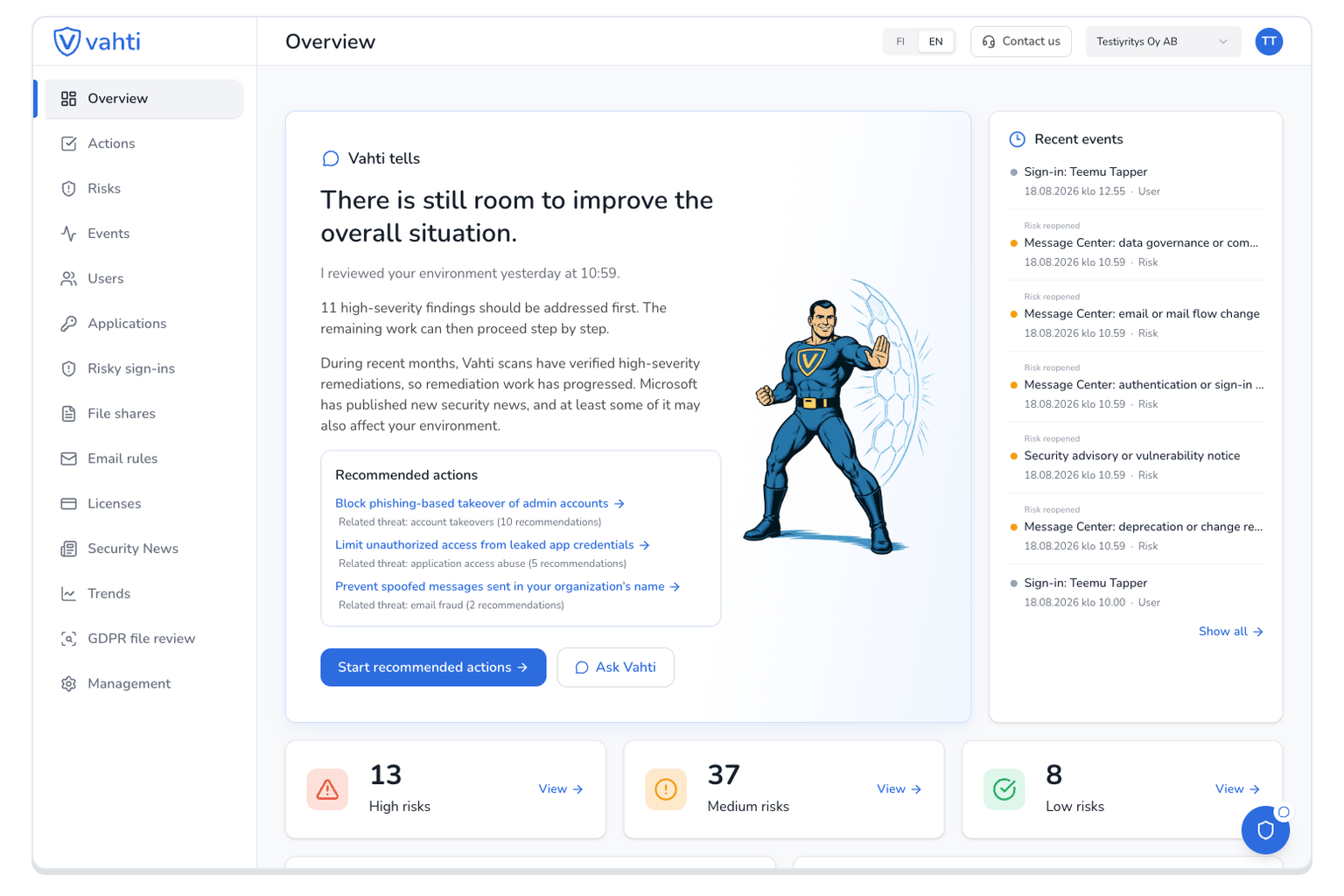
Without clear visibility, security cannot be managed. Vahti brings risks into one view and shows your current risk level, key actions and trends in plain language.
Visibility alone is not enough. Vahti tells you what has been detected, how serious it is and what to do next — so your security continuously improves.

Vahti brings together the most important risks in your Microsoft 365 environment and shows you what to address first.
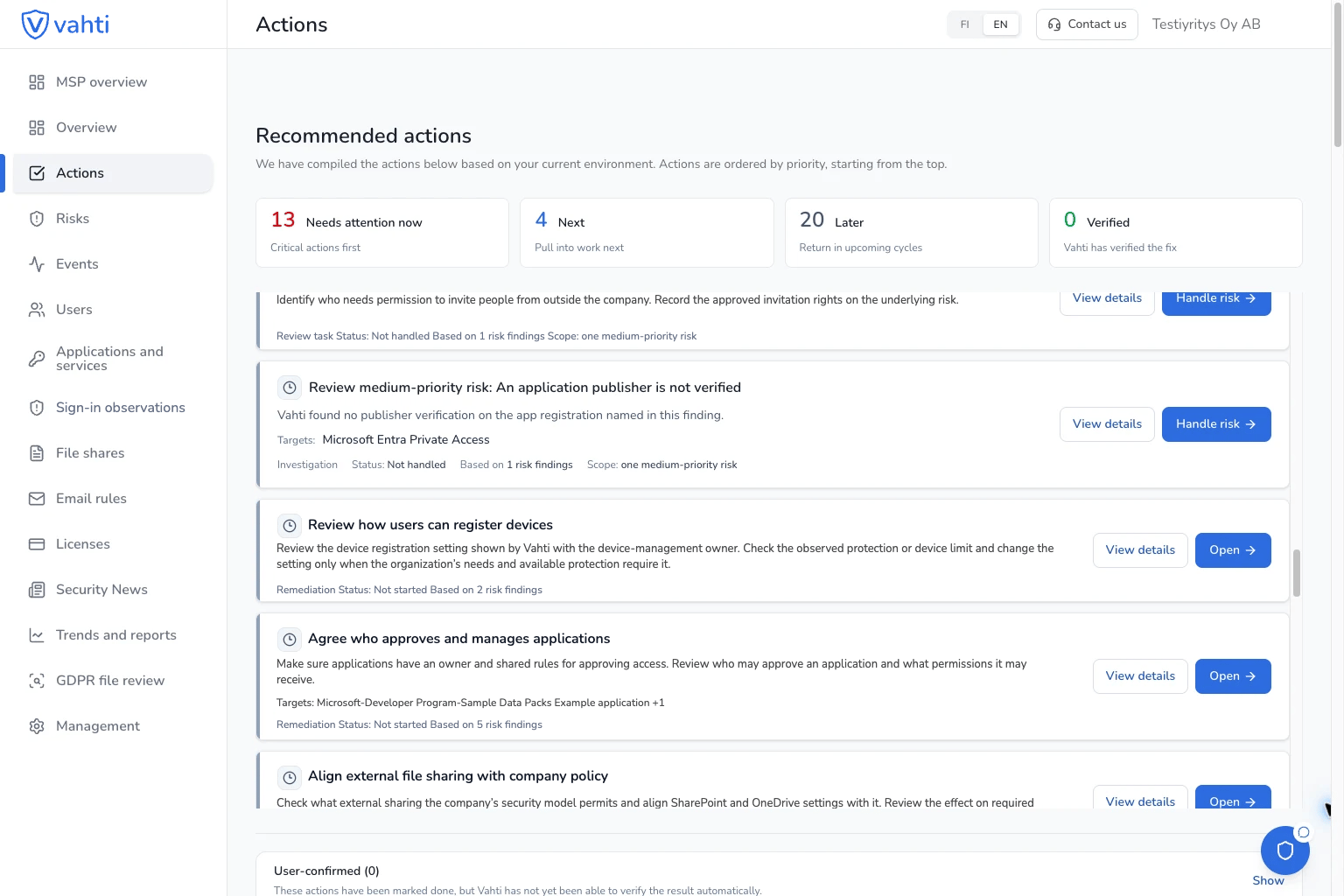
Vahti does more than report the risks it finds. It explains in plain language what they mean and how to fix them. You can make the changes yourself or send the actions directly from Vahti to your IT partner.
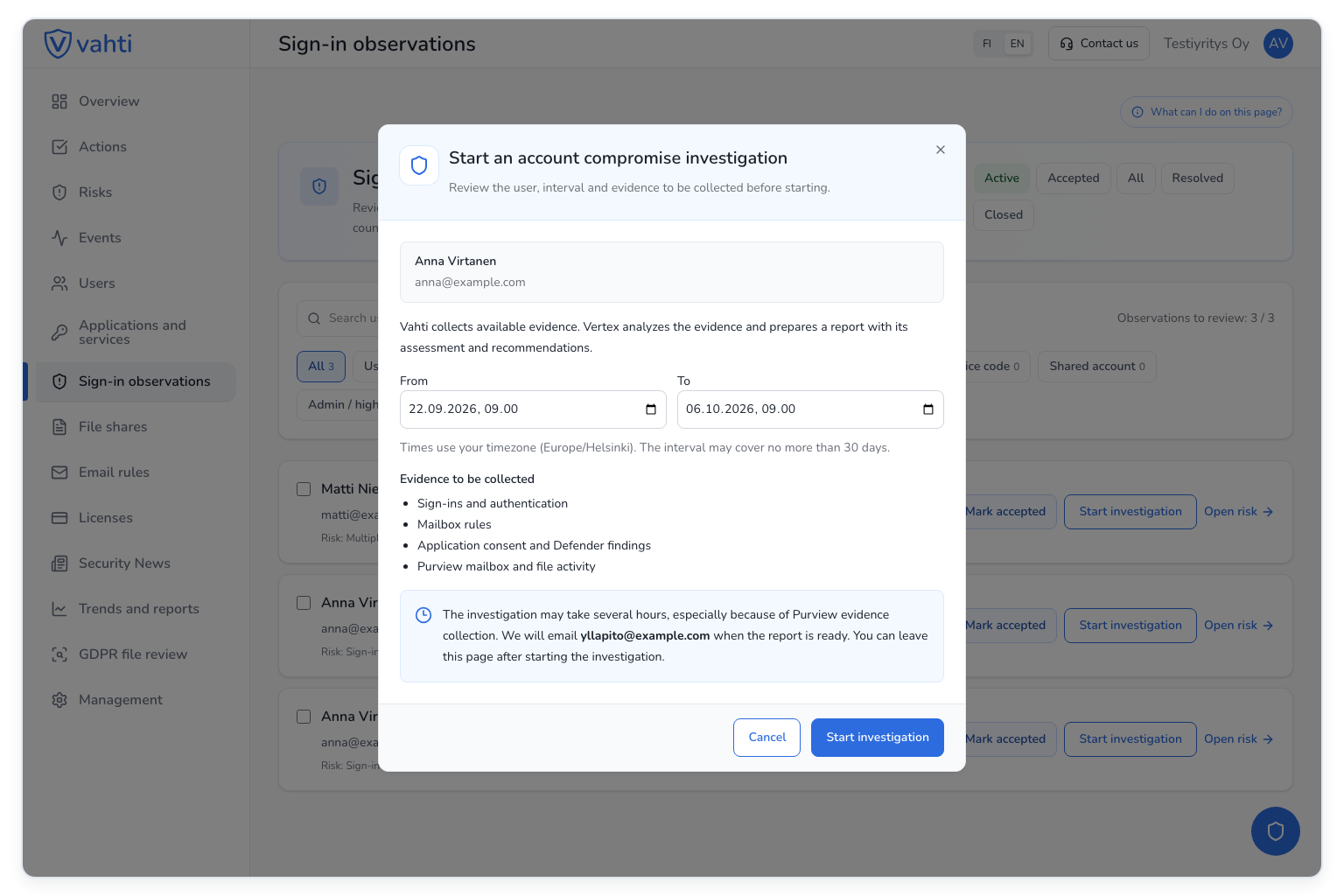
A suspicious sign-in raises questions: did someone gain access to the account, and what did they do? Vahti’s account compromise investigation brings together account activity and security information to help you assess whether the findings indicate misuse.
You receive a plain-language report with key findings, a timeline of events and recommended next steps. You can review the evidence behind the assessment and see what remains uncertain based on the available information.
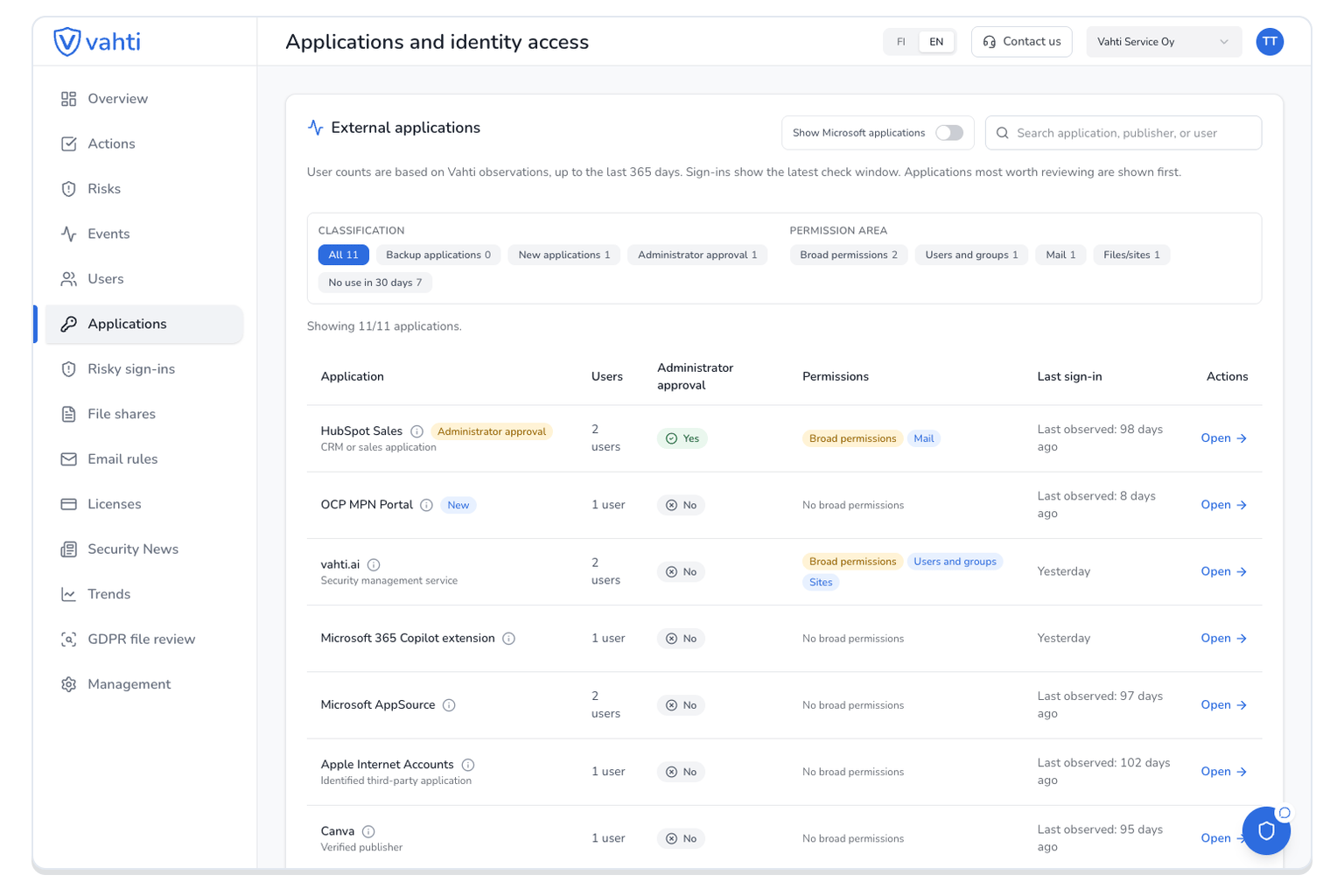
See where Microsoft 365 accounts are used, which external applications are connected to your environment, and what permissions they have been granted.
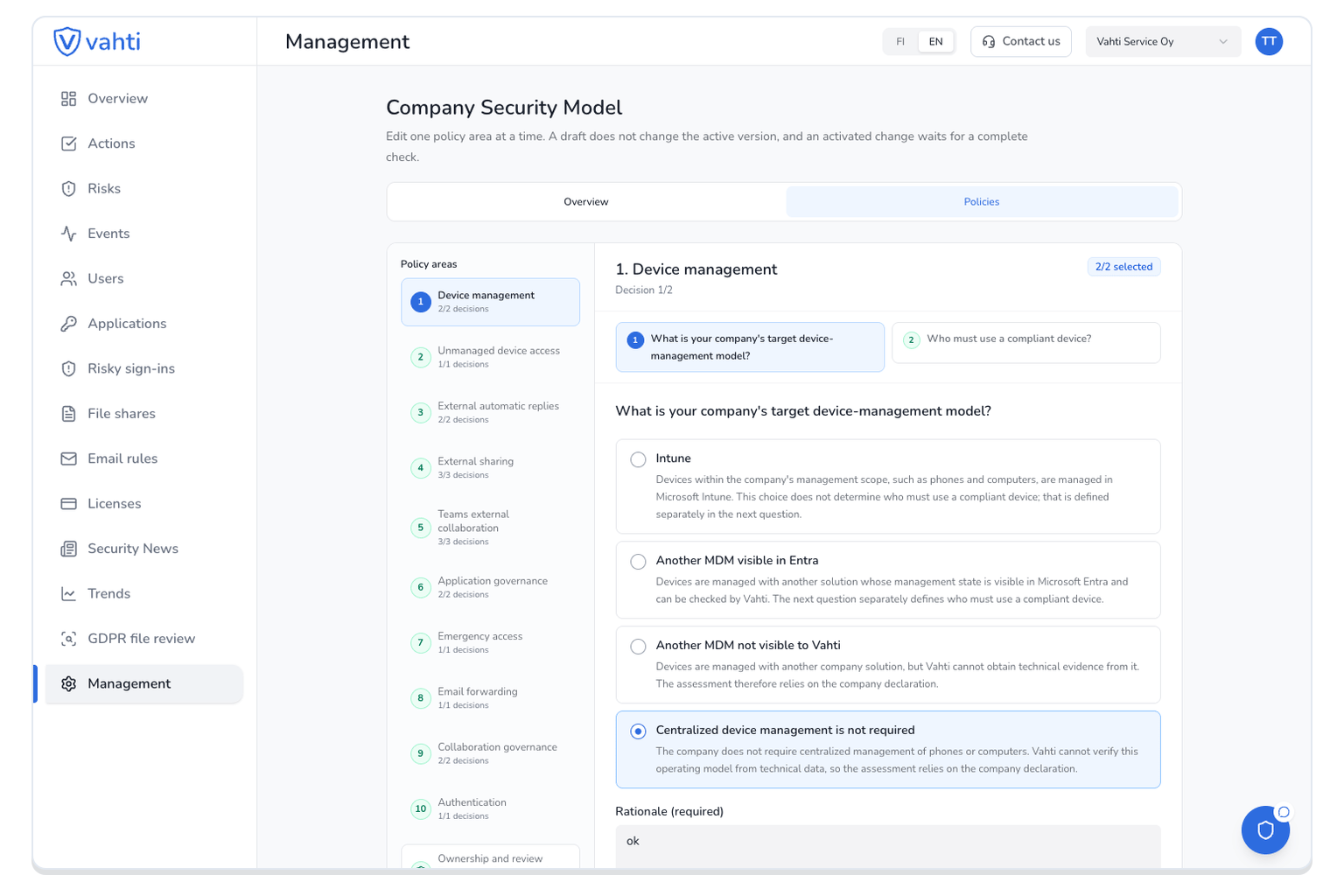
In the Company Security Model, you define what your organization requires for device management, external sharing, applications, and authentication. Vahti compares findings from your Microsoft 365 environment with these policies and highlights where the environment does not meet them.
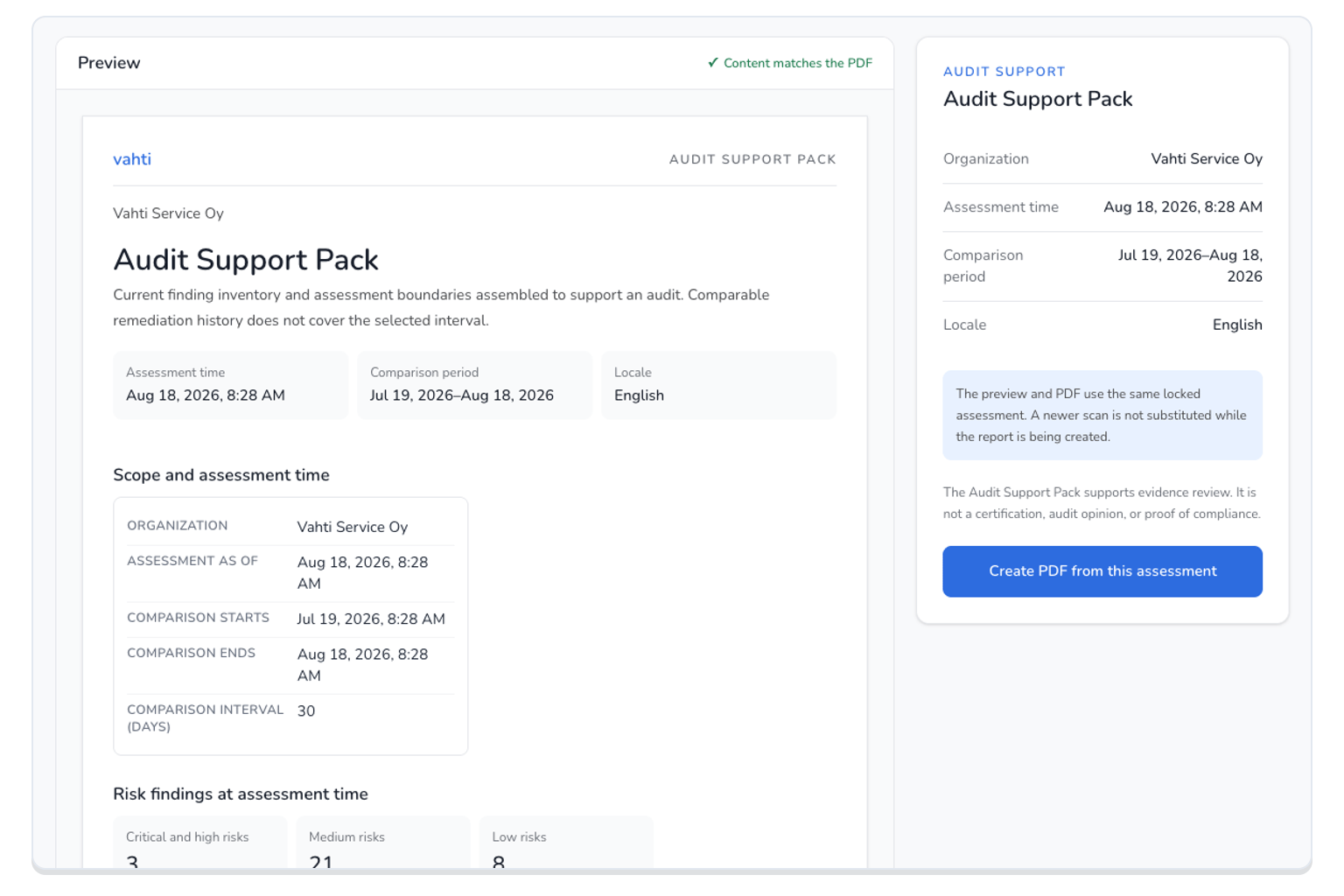
Create a downloadable Executive Security Review or Audit Support Pack and share an up-to-date view with stakeholders.

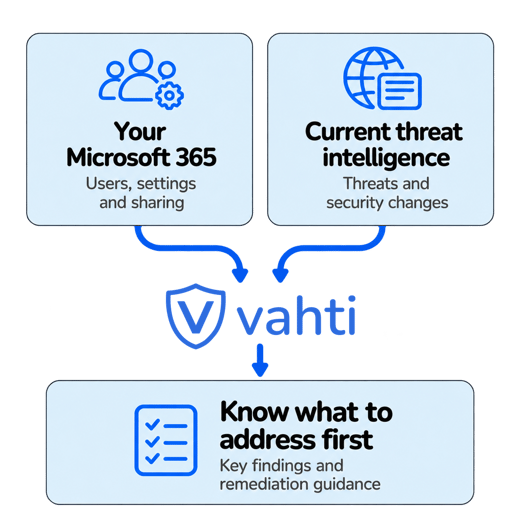
Vahti uses guidance from Microsoft and cybersecurity authorities to assess the security of your organization’s Microsoft 365 environment. It connects this guidance with findings from your environment to help you understand what to investigate, what to fix and how to prioritize your next steps.
Microsoft’s security recommendations describe secure settings and practices for Microsoft 365 and Entra, including authentication, administrator permissions and email protection.
Microsoft Entra role best practices · Recommended Microsoft 365 email protection settings
The Finnish authority’s Microsoft 365 guidance covers user account protection, administrator accounts, app permissions, sharing and environment monitoring. The center is part of Traficom.
SCuBA recommendations from CISA, the US cybersecurity agency, describe secure settings for Microsoft 365 services. They support the assessment of authentication, permissions and sharing.
Guidance from ENISA, the European Union Agency for Cybersecurity, complements detailed Microsoft 365 recommendations with broader risk management principles. It covers access control, strong authentication, logging and incident handling.
Vahti uses its own risk assessment to combine findings, set some thresholds and prioritize fixes.
Vahti brings findings from your Microsoft 365 environment and up-to-date threat intelligence into one clear view. See what needs attention and where to start.
